
What League Admins Should Check Before Approving Referee Expense Payments
Before referee expenses get approved, league admins should confirm the assignment match, mileage, per diem, approval status, and payment record. A simple review step can prevent payment errors and keep officiating records easier to manage.
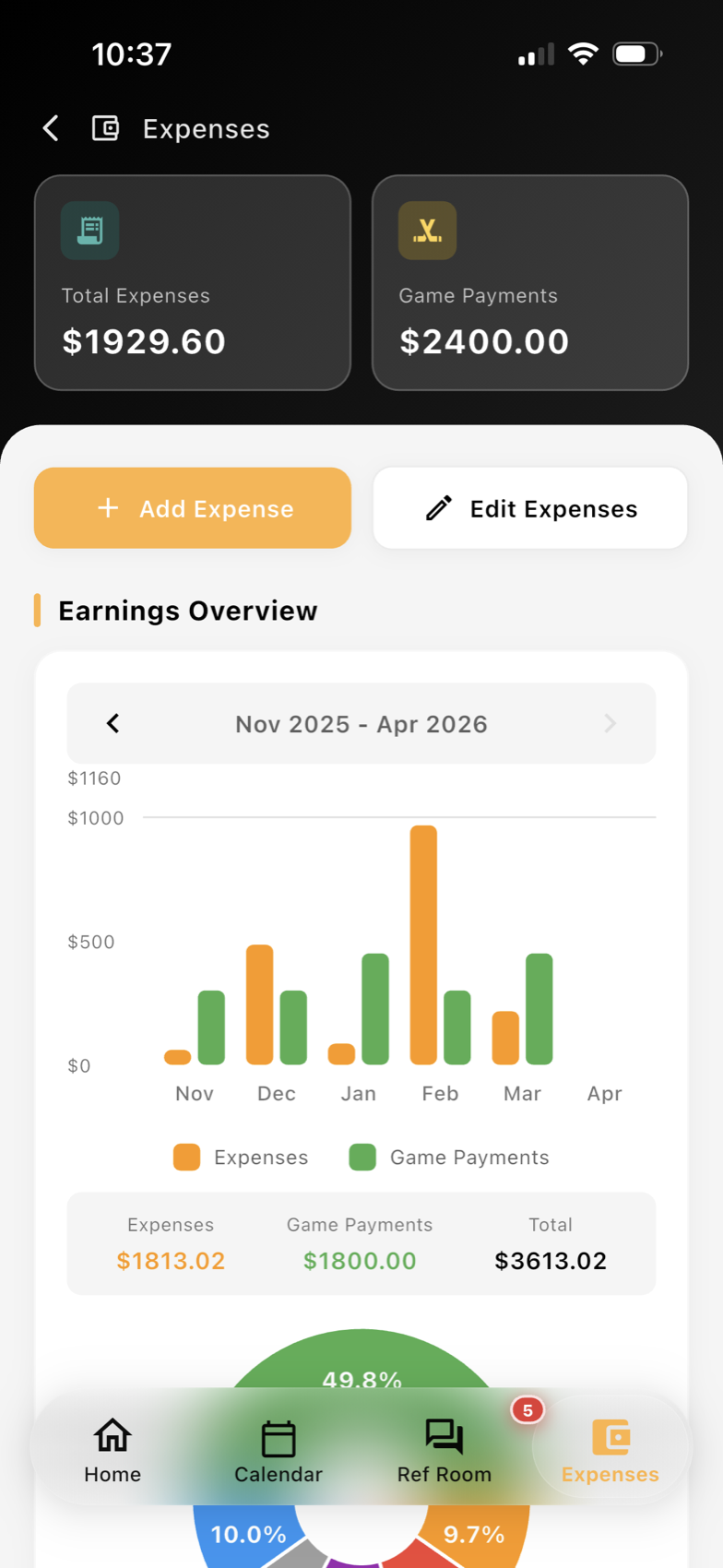
Why expense approval deserves a separate review step
Referee expense payments are easy to rush when a league is trying to close out a busy weekend. But if the approval step is too loose, small issues can turn into repeated corrections: the wrong game gets paid, a mileage claim is tied to the wrong crew, or a per diem is approved without matching the assignment record.
For league admins, the goal is not to overcomplicate the process. It is to make sure each payment lines up with the work that was actually assigned and completed. That starts by checking the original assignment details before a payment is released.
If your operation already uses referee expense tracking, this review can be much faster because the assignment, report, and payment history stay connected.
The five checks to make before approving payment
A practical expense review should cover five core items:
- Assignment match
Confirm the official was assigned to the correct game, date, location, and crew role. If the wrong official is attached to the record, the payment should not move forward until the assignment is corrected.
- Mileage
Check whether mileage applies for that game and whether the distance or travel amount looks reasonable for the location. For leagues with multiple rinks or fields, this is one of the most common places for confusion.
- Per diem
If the league uses per diem payments, make sure the amount matches the approved rate or policy for that assignment type. The record should clearly show whether the per diem was triggered and why.
- Approval status
Look for a clear approval state before payment is processed. A payment record should show whether the expense is pending review, approved, rejected, or needs correction so that staff are not guessing.
- Payment records
Keep a visible history of what was paid, when it was paid, and by whom. That makes end-of-month reconciliation easier and helps answer questions from assignors, officials, or finance staff later.
This is where Assignments and Scheduling and expense workflows should work together. When the assignment record is clean, the payment review is much easier.
Common mistakes that create avoidable payroll friction
Most expense problems are not complicated. They usually come from missing context or a broken handoff between assigning and admin work.
A few examples:
- An official is moved to a different game, but the expense record never updates.
- Mileage is approved based on an old address or an outdated venue.
- A per diem is added twice because two staff members reviewed the same record separately.
- A payment is released before the game report confirms the assignment was completed.
- The approval note exists in email, but not in the system where the payment is recorded.
Leagues can reduce these problems by keeping approval comments inside the same workflow that holds the game details. That way, administrators do not have to reconstruct the history from inbox messages or side conversations.
How assignors and admins can keep the process clean
The best expense process is simple enough to repeat every week. A good workflow usually looks like this:
- Assign the game and confirm the official’s role.
- Review travel or mileage rules before payment.
- Check whether per diem applies.
- Confirm the approval status.
- Record the payment and keep the history attached to the assignment.
If your organization has multiple assignors or handles games across different sports, shared visibility matters even more. A central dashboard can help admins see the assignment match and payment record together instead of chasing details across separate spreadsheets or messages.
A mobile-friendly workflow can also help when approvals happen away from the office. For example, a supervisor can review a record on the go, verify the assignment, and send it back for correction before finance closes the batch.
For leagues that want one place to manage the admin side of payment review, the Assignor Dashboard can help keep assignment context visible while staff work through approvals.
Build a payment trail you can actually follow later
Referee expense approval is less about finance alone and more about clean league operations. When admins check the assignment match, mileage, per diem, approval status, and payment records in one workflow, the whole process becomes easier to audit and easier to explain.
That matters for youth leagues, adult rec programs, and multi-sport organizations alike. The more consistent the approval trail, the less time staff spend fixing preventable mistakes after pay runs are already in motion.
For leagues that want to keep those records connected from assignment through payment, Expenses provides a practical starting point.
Want cleaner referee operations?
Ref Buddy connects schedules, officials, crew communication, expenses, and reports so leagues can spend less time chasing details.
Schedule a Demo