
How Officials Can Reset Quickly When Crew Roles Change Close to Game Time
Last-minute role changes are easier to handle when officials can confirm partner updates, division context, and communication timing before they leave for the rink or field. A simple mobile workflow helps crews reset fast without losing control of the game-day details.
When the crew changes, the official still needs a reset
Close to game time, a role change can happen for a lot of routine reasons: a partner is delayed, a four-official crew becomes a three-person crew, or a newer official is moved into a different position than expected. For assignors, the goal is to make the change cleanly. For officials, the goal is to arrive with enough context to adjust without hesitation.
That adjustment is not just about who is on the game. It is about how the crew will function now. An official who was expecting to work a supporting role may suddenly need to take on a stronger game-management presence. A partner who was supposed to lead may now be working next to someone who is less familiar with the level. In those moments, clear assignment details matter as much as the schedule itself.
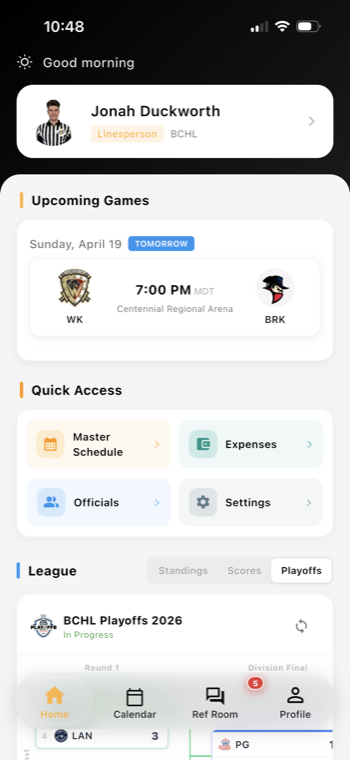
A good workflow starts with the original assignment and ends with the updated one. When officials can review the change in one place, they do not have to piece together texts, screenshots, and verbal handoffs before they leave home. If your league is still centralizing those updates, the Referee Companion App can help keep the active assignment context in one mobile view.
What officials should check before heading out
When a role change lands, officials do better if they pause for a quick reset. That reset should cover four things:
- Role change: What position am I working now, and what responsibilities come with it?
- Partner update: Who am I working with, and does the crew have enough experience balance for the game?
- Division context: Has the level changed from what I expected, and does that affect pace, communication, or game control?
- Communication timing: When was the change sent, and do I need to confirm receipt before warmups or pregame?
This is where mobile access helps. If an official gets an updated role while already on the move, the information needs to be readable fast, not buried in a long message thread. A sports officiating workflow should support quick review, especially when crews are spread across different rinks, fields, or gyms.
In youth hockey and other fast-turnover sports, even small differences in positioning or crew chemistry can change how the first few minutes feel. Officials who know that a change is coming can arrive more settled and more ready to communicate early.
Why partner updates matter as much as the assignment itself
A last-minute crew change is not only a staffing issue. It is a communication issue. Officials need to know whether they are working with a familiar partner, a first-time combination, or a crew that was rearranged because of a cancellation elsewhere.
That context helps in practical ways:
- It supports a quicker pregame conversation.
- It helps newer officials understand where to expect help.
- It reduces confusion if the crew has to adjust coverage on the fly.
- It gives everyone a clearer picture of how much talking they need to do before puck drop or kickoff.
Assignors do not need a perfect situation to make a useful update. They need the right details to move fast and keep everyone aligned. That is one reason assignment history, crew notes, and current status should stay connected. When the updated assignment is easy to open on a phone, officials can confirm the change without waiting for another message.
For leagues and associations that want the schedule and the communication thread to stay tied together, Assignments and Scheduling can help organize that workflow from the assignor side.
Division context helps officials avoid a slow start
When a role changes late, division context becomes even more important. A crew that expected a lower-tempo game may now be walking into a faster or more physical one. An official moved into a different role may need to adjust how early they speak, how they manage line changes or substitutions, or how tightly they track the game from the first whistle.
That is why assignors should avoid sending a bare replacement notice. The best update tells officials what changed and what that change means. If the crew is now short-handed, if the matchup has a history of tight games, or if the division usually requires a firmer pregame tone, those notes help officials prepare before they arrive.
Officials benefit from a simple habit: read the update, confirm the role, review the partner list, and then decide whether a short pregame call or message is needed. That extra minute can save a lot of uncertainty once the game starts.
Build a habit that makes late changes easier to manage
Role changes close to game time will never be ideal, but they can be handled without turning into chaos. The most useful habits are the simplest ones: keep the assignment current, keep partner updates visible, and make sure officials can open the latest version on mobile before they leave.
Leagues that invest in referee assignment software and official communication workflows usually get better results when the same information is available to both the assignor and the crew. That does not remove the stress of a late change, but it does make the response faster and more confident.
If you are reviewing your own game-day process, look for one question: can an official understand the new role, the new partner setup, and the game context in less than a minute? If the answer is yes, the workflow is probably supporting the crew well enough to handle the next change calmly.
Want cleaner referee operations?
Ref Buddy connects schedules, officials, crew communication, expenses, and reports so leagues can spend less time chasing details.
Schedule a Demo