
How Officials Can Handle Late Crew Role Changes Without Losing Their Game Plan
When a crew role changes close to game time, officials need a fast way to confirm the new responsibilities, partner updates, division context, and communication timing before they step on the field or ice.
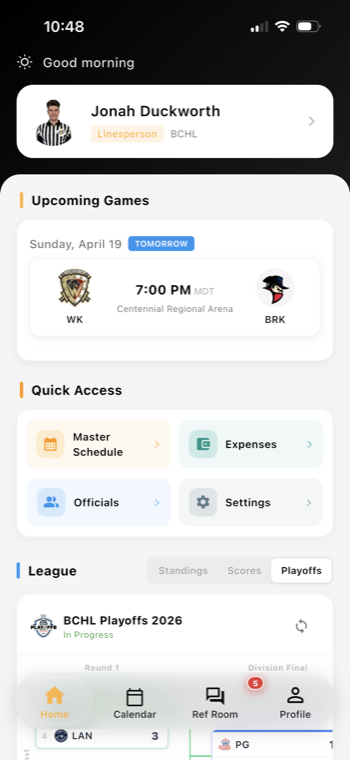
Late role changes are part of the job
Most officials have had this experience: the crew was set, then a partner gets delayed, a lineup changes, or an assignor needs to reshuffle the roles close to puck drop or kickoff. A referee becomes a line judge. A linesperson is moved to the crease. A partner who was supposed to lead the pregame is suddenly unavailable.
Those changes are manageable when the crew knows exactly what changed and when. They become stressful when the update is buried in a text thread, arrives after everyone has already started traveling, or is only shared with one person instead of the whole crew.
That is why late role changes should be treated as a communication workflow, not just a scheduling problem. In referee assignment software, the goal is not only to fill the game. It is to make sure each official can see the new role, understand the division context, and arrive with the right expectations.
What officials need to confirm before they leave
When a role changes near game time, officials should verify a few basics right away:
- Role assignment: Am I now leading, line working, or covering a different position than expected?
- Partner updates: Who is on the crew now, and has anyone else changed?
- Division context: Is this still the same age group, competition level, or game type?
- Timing details: Has the arrival time, pregame time, or check-in process changed?
- Venue notes: Did the location, rink, field, or dressing room instructions change too?
This kind of quick review matters because role changes often trigger other adjustments. A new referee on the crew may need a different arrival plan. A different division may call for a different pregame conversation. A mobile referee app workflow can help keep those details in one place so officials are not piecing together the plan from separate messages.
For leagues and assignors, the best practice is simple: when the assignment changes, the crew-facing update should change with it. That keeps communication consistent and reduces the chance that two officials are working from different versions of the plan.
Why timing and partner context matter for confident officiating
A late switch is easier to handle when the official understands not just the new role, but the timing around it. If the update comes early enough, the crew can adjust travel, warmup, and pregame preparation. If it comes at the last minute, the message should be clear, direct, and easy to find on mobile.
Partner context is equally important. Officials do better when they know whether they are working with someone they have skated with, someone new to the division, or someone stepping in from a different assignment tier. That context helps them plan communication on the fly: who will handle the first pregame check, who is managing the benches, who will watch for specific situations, and how the crew will stay connected if the game gets busy.
This is also where Assignments and Scheduling and the Assignor Dashboard can support cleaner handoffs. When assignors update a role change in the same system that holds the assignment record, officials have a better chance of seeing the latest version before they arrive.
Make the mobile workflow the last step, not an afterthought
Officials should not have to hunt for a role change across calls, texts, and group chats. A better approach is to make the mobile workflow the final confirmation step:
- Open the assignment on mobile.
- Review the updated role and crew.
- Check the division and venue details.
- Confirm any arrival or communication timing changes.
- Acknowledge the update before travel or check-in.
That final confirmation does two things. First, it gives the official a clear mental reset before the game. Second, it helps the assignor know the message was seen.
When a role change also affects post-game steps, keep those linked to the assignment as well. If the crew needs to file notes afterward, use Game Reports so the follow-up work stays attached to the same game record. If a travel-related cost or adjustment comes into play, Expenses can help keep that workflow organized too.
For officials who want a smoother mobile experience, the Referee Companion App can be the place to check the latest assignment details before leaving home.
A simple standard assignors can use all season
A practical late-change standard does not need to be complicated. It just needs to be consistent:
- update the assignment record first
- send one clear crew-facing message
- include the new role, partner names, and division context
- confirm timing and venue details
- ask officials to acknowledge on mobile when possible
That structure helps youth sports leagues, adult recreational leagues, minor hockey associations, and multi-sport organizations keep games staffed without leaving officials to guess what changed.
Role changes will always happen from time to time. The goal is not to eliminate them. The goal is to make sure officials can absorb them quickly, communicate clearly, and still arrive ready to work the game with confidence.
Want cleaner referee operations?
Ref Buddy connects schedules, officials, crew communication, expenses, and reports so leagues can spend less time chasing details.
Schedule a Demo